Outputs
Outputs are the results that tasks produce during execution. When a task completes its work, it can generate outputs — data that gets stored in the execution context and becomes available to all downstream tasks.
Not every task produces outputs, but most do. Each task defines its own output attributes depending on what work it performs. For example:
An HTTP request task outputs the status code, response body, and headers
A database query task outputs the rows returned
A script task outputs any data it prints or returns
Outputs aren't limited to simple values like strings and numbers — they can also be files. When a task generates a file (like a CSV export, a generated report, or transformed data), that file becomes an output that can be passed to downstream tasks. For instance, a Python script might generate a data file, which a subsequent task can then upload to cloud storage or send via email.
This is where the real power of workflows emerges: the output from one task becomes the input for the next, creating a pipeline.
Viewing Outputs
Let's see outputs in action. Remember the HTTP Request task from the Tasks section? Here's a flow with just that task:
id: myflow
namespace: company.team

tasks:
  - id: make_request
    type: io.kestra.plugin.core.http.Request
    uri: "https://kestra.io"
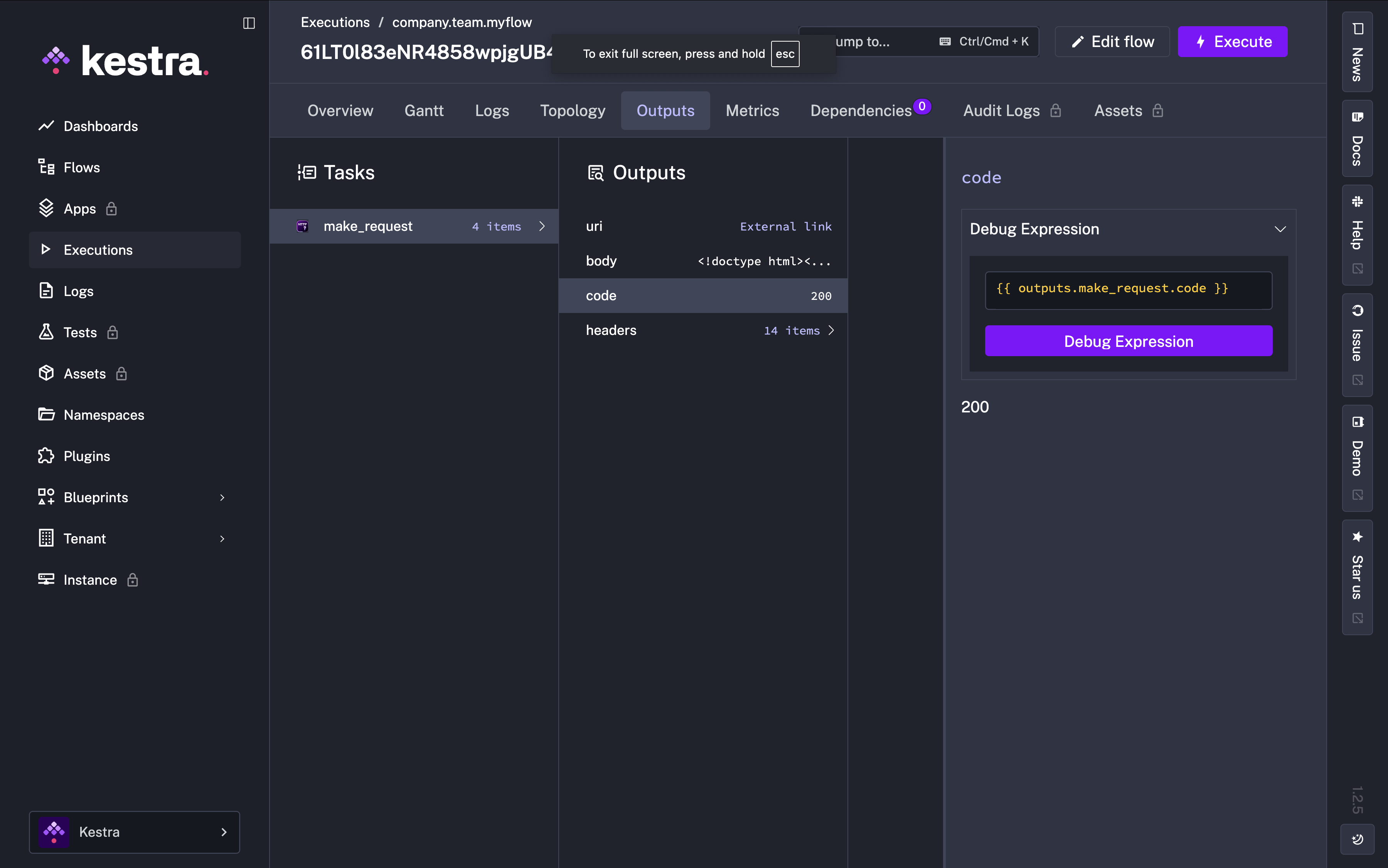
When we execute this flow, we can view all outputs in the Outputs tab of the execution. The HTTP Request task produces several outputs: the URI, response body, status code, and headers.
Accessing Outputs
Outputs are accessed using expressions with the pattern {{ outputs.task_id.output_value}}, where:
task_idis the ID of the task that produced the outputoutput_valueis the specific output attribute you want to access
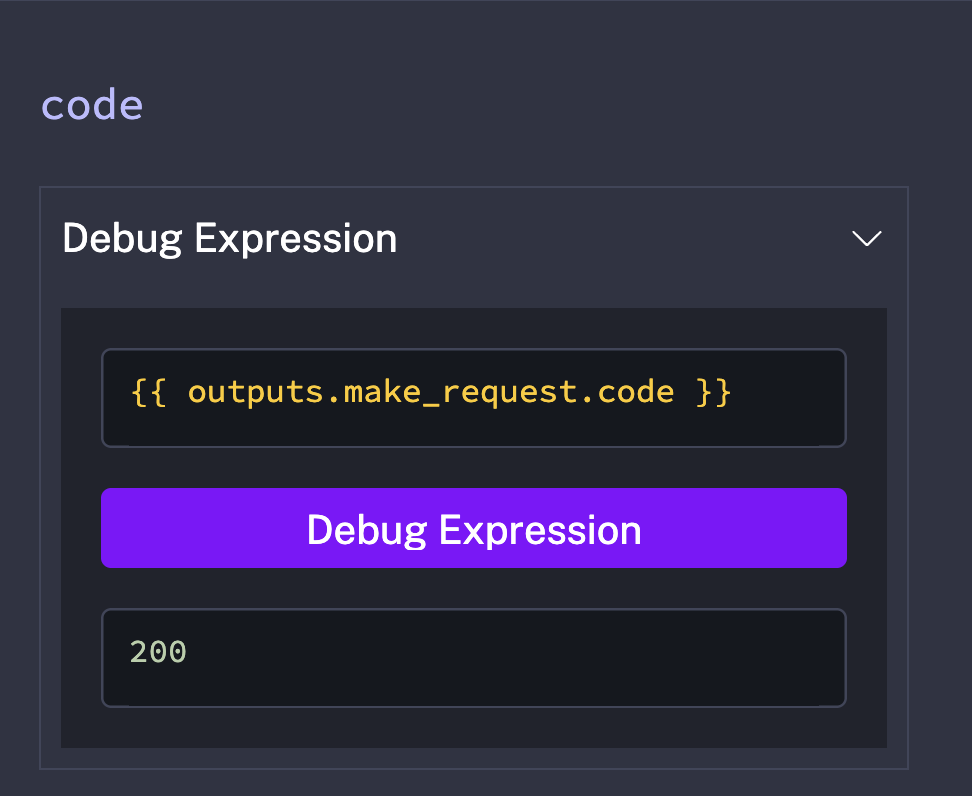
For example, if a task with ID make_request outputs a status code, you'd access it with {{ outputs.make_request.code }}.
While you can construct these expressions yourself, the Debug Expressions feature makes it even easier to check. Click on any output value, and Kestra shows you the exact expression to access it:
Building a Dynamic Flow
Now let's bring everything together: inputs, outputs, and multiple tasks. We'll modify our HTTP Request flow to:
Accept the URI as an input (so we can test different URLs)
Capture the status code output from the request
Log that status code in a second task
id: myflow
namespace: company.team

inputs:
  - id: uri
    type: URI
    defaults: https://kestra.io

tasks:
  - id: make_request
    type: io.kestra.plugin.core.http.Request
    uri: "{{ inputs.uri }}"

  - id: log_status_code
    type: io.kestra.plugin.core.log.Log
    message: "Status Code: {{ outputs.make_request.code }}"
Now we have a dynamic workflow: data flows in through inputs, gets processed by tasks, and flows between tasks through outputs.
But so far, we've been manually clicking Execute every time. What if we want our flows to run automatically on a schedule, or in response to events? That’s where Triggers comes in!