Blueprints
Learning workflow orchestration through documentation and examples is valuable, but sometimes you just want to see a complete, working solution that you can adapt to your needs. That's where Blueprints come in.
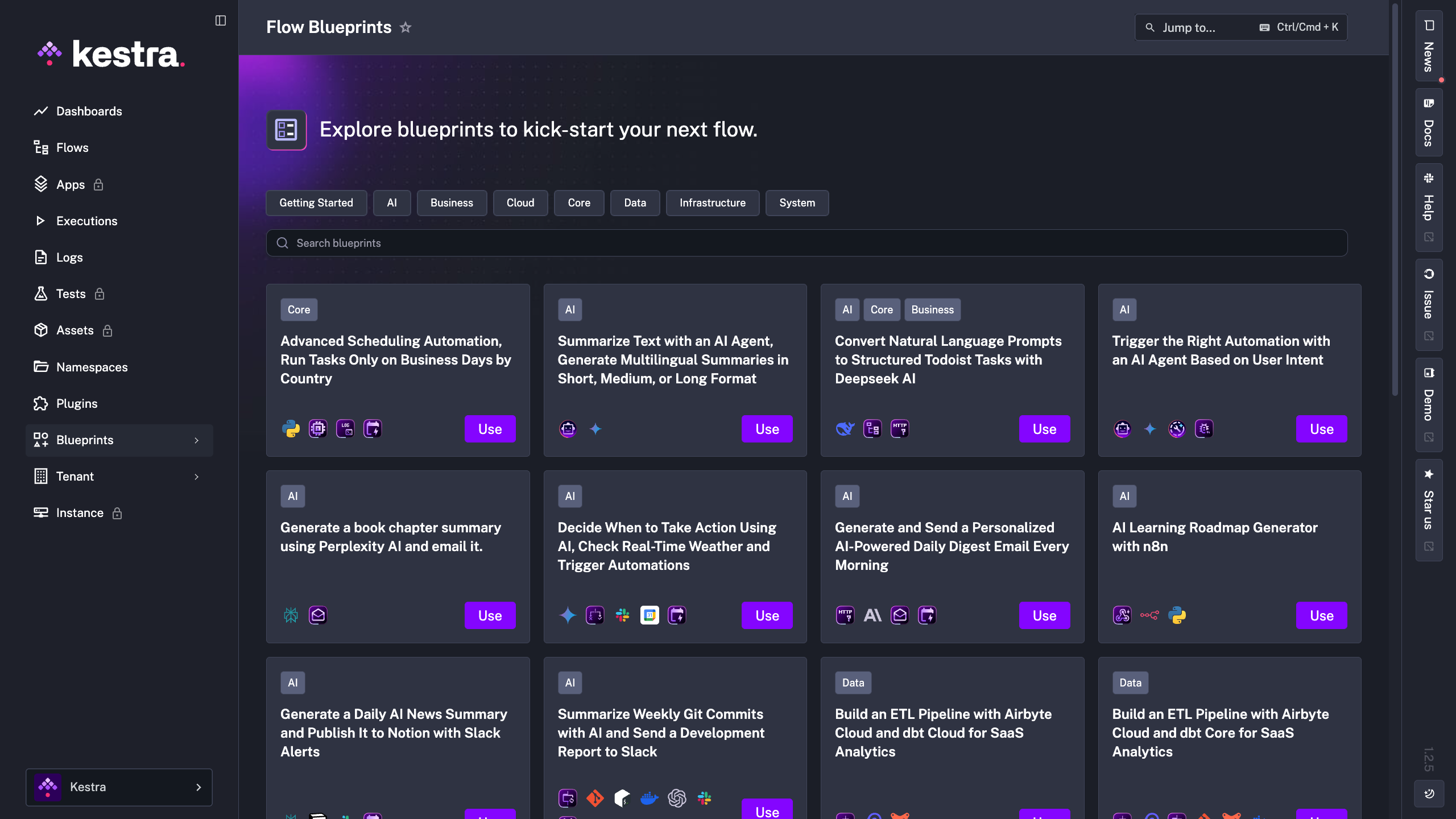
Blueprints are a curated catalog of ready-to-use workflow examples designed to help you kickstart your projects. Each Blueprint is a complete, validated workflow that solves a real-world use case — from data engineering pipelines to API integrations to notification systems.
What Makes Blueprints Useful
Every Blueprint combines three things:
Working code — a complete flow you can run immediately
Documentation — explanations of how it works and what it does
Tags — organized by use case, technology, and pattern for easy discovery
You can browse the full catalog on the Kestra website or in the dedicated Blueprints page within the app. But one of the most useful features is accessing Blueprints directly in the editor while you're building workflows — when you need inspiration or want to see how a specific task works, you can browse relevant examples without leaving the editor.
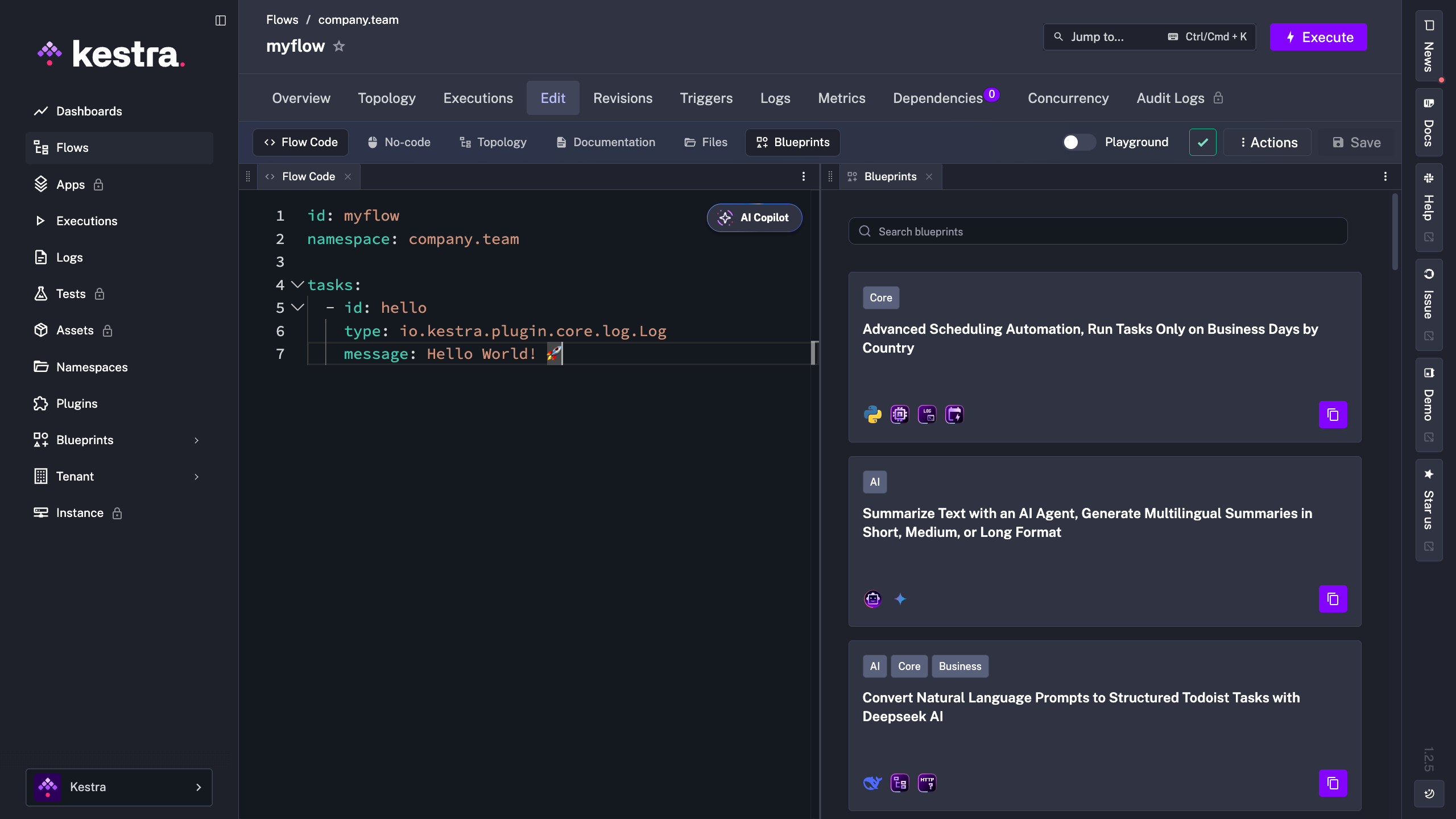
All Blueprints are validated and tested, so you know they work. When you're browsing the dedicated Blueprints page in the app and find one that matches your needs, click the Use button to add it directly to your workspace. From there, you can customize it with your own inputs, credentials, and logic.
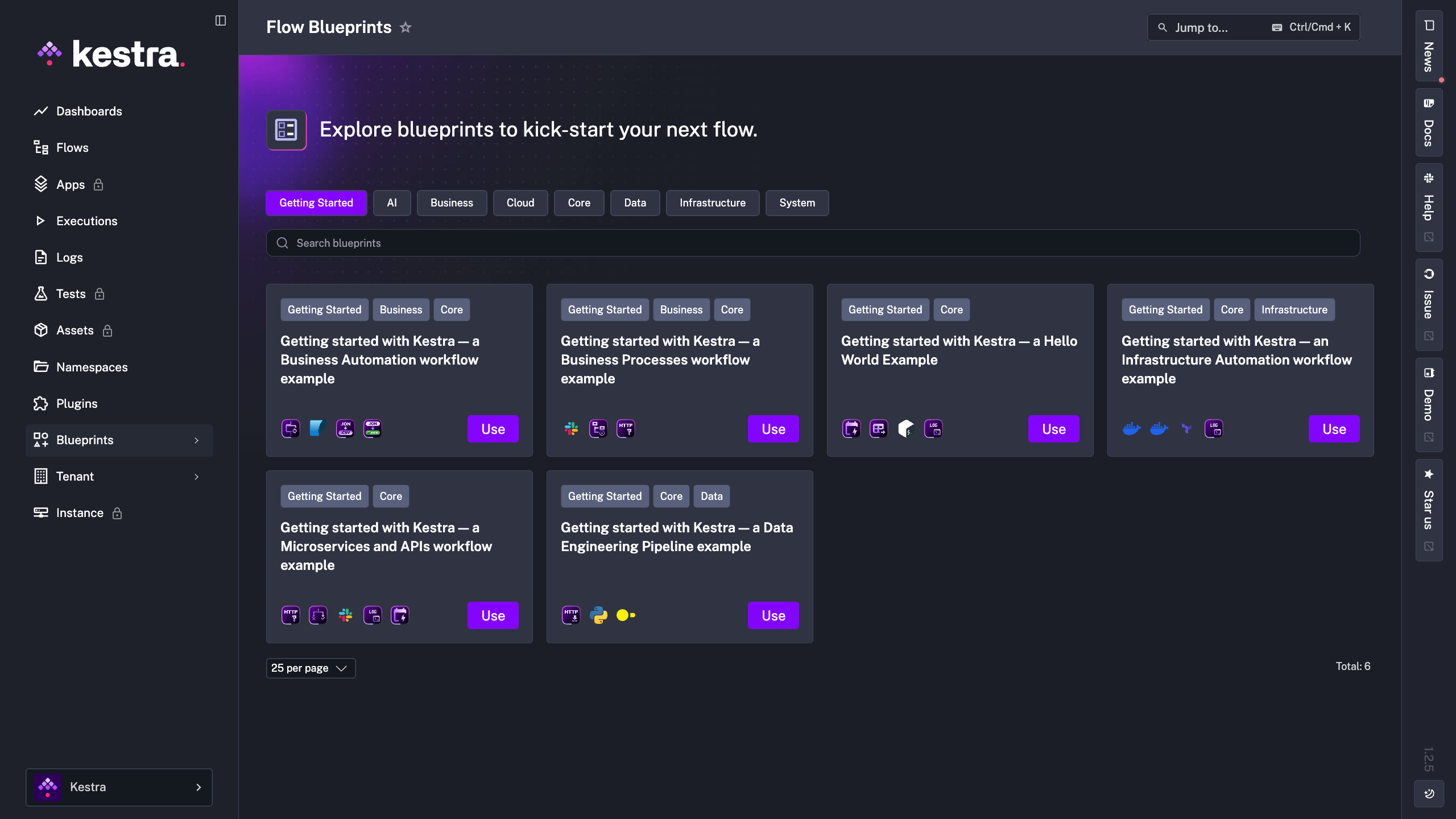
Exploring the Getting Started Blueprints
The Getting Started tag is a great place to begin. These Blueprints demonstrate foundational orchestration patterns across different domains, and they all work out of the box without needing any additional API keys or secrets — just click Use and start learning.
Data Engineering Blueprint
A great example is the Data Engineering Pipeline Blueprint, which shows a complete ETL (Extract, Transform, Load) workflow. It demonstrates how to:
Fetch data from an API
Transform it using Python
Load it into a database
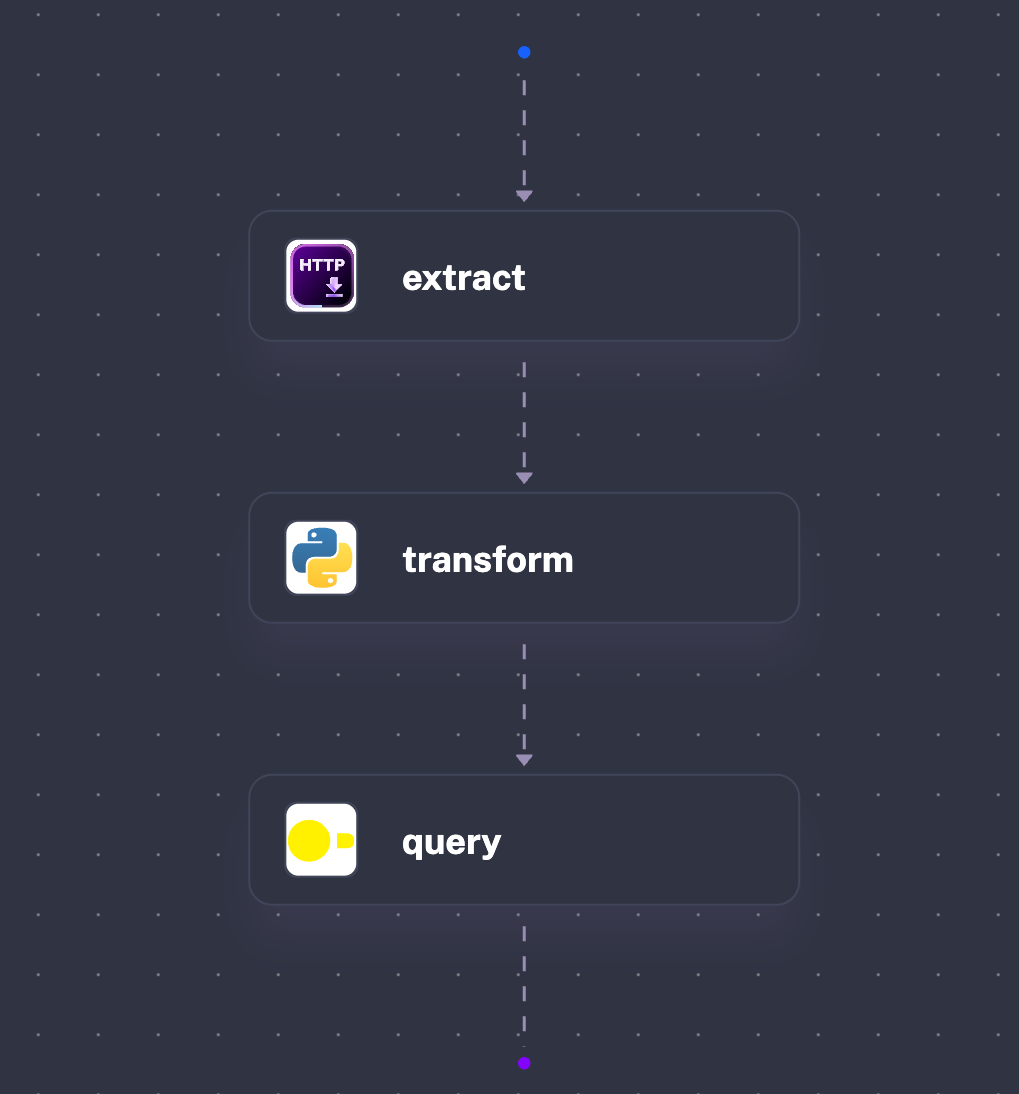
This single Blueprint showcases inputs, outputs and multiple tasks working together — all the concepts we've covered, combined into a production-ready workflow.
Microservices and APIs Blueprint
Another great example is the Microservices and APIs Blueprint. Remember the HTTP Request task we covered earlier? This Blueprint shows how to put it into a production monitoring workflow. It demonstrates how to:
Make a HTTP request to a server
Check if the status code equals 200
Send a Slack notification to alert your team if it doesn't
Run daily at 9 AM via a schedule trigger
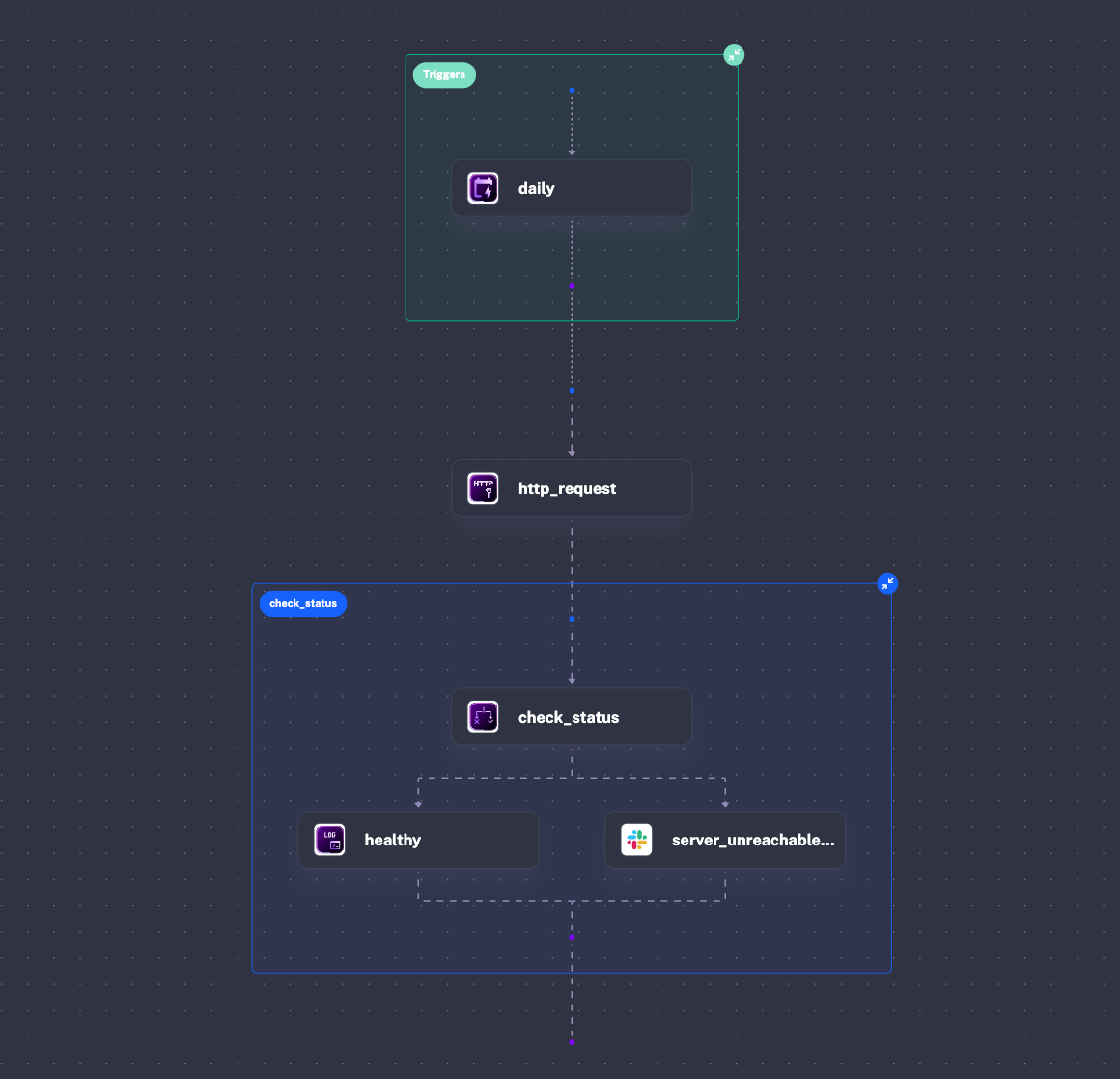
This Blueprint demonstrates conditional logic, notifications, and scheduled automation — taking a simple HTTP request and turning it into a real-world health check system.
Browse the full Blueprint catalog to discover workflows for your specific use cases, whether that's data processing, DevOps automation, business process orchestration, or something entirely different.